
On this page22 sectionsShowHide
- Who This Guide Is For
- Why Amazon Store Management Matters
- Start With an Amazon Account Baseline
- 1. Storefront structure and shopper journey
- 2. Homepage, category, and campaign page planning
- 3. Creative, copy, and product module management
- 4. Traffic sources, Store insights, and attribution
- 5. Seasonal updates and conversion improvements
- Amazon Store Management Checklist
- Daily, Weekly, and Monthly Amazon Tasks
- Ecommerce and AI Considerations
- Common Amazon Store Management Mistakes
- Budget, Timeline, and Ownership
- 30-60-90 Day Amazon Roadmap
- How eData4You Can Help
- Frequently Asked Questions
- What is Amazon store management?
- Why do Amazon sellers need management support?
- Can Amazon store management be outsourced?
- What should be checked every week?
- What is the biggest Amazon management mistake?
- Final Thoughts
Amazon Storefronts underperform when pages look branded but do not guide shoppers through categories, best sellers, seasonal campaigns, product education, and measurable conversion paths.
Amazon store management is the ongoing work of keeping the seller account stable, searchable, profitable, and trusted. It includes listing quality, inventory availability, fulfillment, PPC, pricing, reviews, customer service, returns, account health, and reporting.
This guide explains how to manage Amazon Storefront management as a practical operating system instead of a set of disconnected tasks.
Storefront Guide Amazon store management connects listings, inventory, pricing, advertising, fulfillment, customer service, and account health into one repeatable operating system.
Brand Keep product data, content, keywords, images, and retail readiness accurate before scaling traffic. Navigation Manage stock, fulfillment, pricing, messages, returns, reviews, and exceptions before they hurt metrics. Conversion Use reporting, PPC, account health checks, and SOPs to improve profit and reduce operational risk. 5 areas to manage: listings, inventory, ads, orders, and account health 7 checks before scaling Amazon sales or PPC spend 90 days to audit, stabilize, and improve seller operations 1 Listing Quality Build complete product pages with search terms, images, bullets, attributes, and conversion proof. 2 Stock Control Keep FBA and FBM availability accurate so stockouts, overselling, and late shipments do not damage sales. 3 Account Health Monitor seller metrics, policy warnings, customer issues, and review signals before they become restrictions. 4 Profit Review Connect PPC, fees, refunds, returns, storage, shipping, and margin before making growth decisions.
Who This Guide Is For
This guide is written for Amazon brand owners, private-label sellers, ecommerce marketers, creative teams, and marketplace managers using Amazon Brand Stores to improve trust, navigation, and product discovery. It is also useful for businesses planning to outsource Amazon operations and teams that need a clearer checklist before hiring Amazon store managers or marketplace virtual assistants.
The goal is not to make every reader an Amazon expert overnight. The goal is to show what should be managed, what can go wrong, what metrics matter, and how a responsible Amazon operating workflow should look.
Why Amazon Store Management Matters
Amazon gives sellers access to strong buyer demand, but it also puts every seller inside a competitive and rule-heavy environment. Product visibility, Buy Box performance, fulfillment reliability, account health, reviews, and advertising efficiency all influence sales.
Many Amazon problems begin quietly. A listing loses indexing. A variation breaks. A seller message is missed. A product runs out of stock. A policy warning appears. A campaign spends on irrelevant terms. A return pattern points to unclear listing content. If nobody owns the workflow, small issues become sales loss or account risk.
Good Amazon management turns those tasks into a repeatable rhythm. The seller account should be reviewed daily, improved weekly, and audited monthly.
Start With an Amazon Account Baseline
Before making changes, document the current condition of the Amazon account. A baseline should include active ASINs, suppressed listings, best sellers, low performers, stock status, stranded inventory, FBA and FBM setup, account health warnings, PPC spend, ACOS, TACOS, reviews, feedback, return rate, and open support issues.
The baseline helps your team prioritize. Some accounts need listing cleanup first. Others need inventory control, PPC restructuring, account health fixes, or customer service improvement. Without a baseline, Amazon work becomes reactive.
Keep the baseline simple but current. A spreadsheet, dashboard, or weekly report is enough if it creates clear ownership and action.
01Storefront structure and shopper journey
This area matters because Amazon Storefront management depends on Amazon-specific rules, buyer expectations, and operational discipline. A seller account can look active and still lose sales because one workflow is not being managed.
For Amazon Storefront management, review storefront structure and shopper journey with both marketplace performance and customer experience in mind. Amazon rewards sellers that provide complete information, competitive offers, reliable fulfillment, strong reviews, and fast issue resolution.
Document the current baseline before making changes. Record the listings affected, current metrics, open warnings, inventory status, PPC impact, support issues, and next owner. This makes future troubleshooting easier.
Define the expected standard before assigning the task
Check best sellers and highest-risk ASINs first
For your next planning session
Good guidance is worth keeping.
Save this guide and return when you’re ready to put it into practice.
Record errors, warnings, and open actions in one tracker

Test updates carefully before applying changes across the full catalog
Review results after content changes, inventory changes, PPC changes, or policy updates
02Homepage, category, and campaign page planning
When this part is weak, the result can appear in many places: lower ranking, suppressed listings, wasted PPC spend, stranded inventory, late shipment risk, negative feedback, or account health warnings.
For Amazon Storefront management, review homepage, category, and campaign page planning with both marketplace performance and customer experience in mind. Amazon rewards sellers that provide complete information, competitive offers, reliable fulfillment, strong reviews, and fast issue resolution.
Document the current baseline before making changes. Record the listings affected, current metrics, open warnings, inventory status, PPC impact, support issues, and next owner. This makes future troubleshooting easier.
Define the expected standard before assigning the task
Check best sellers and highest-risk ASINs first
Record errors, warnings, and open actions in one tracker
Test updates carefully before applying changes across the full catalog
Review results after content changes, inventory changes, PPC changes, or policy updates
03Creative, copy, and product module management
A strong process gives the team a repeatable standard for what to check, how often to check it, and when to escalate. That matters because Amazon issues often become expensive when they sit unresolved.
For Amazon Storefront management, review creative, copy, and product module management with both marketplace performance and customer experience in mind. Amazon rewards sellers that provide complete information, competitive offers, reliable fulfillment, strong reviews, and fast issue resolution.
Document the current baseline before making changes. Record the listings affected, current metrics, open warnings, inventory status, PPC impact, support issues, and next owner. This makes future troubleshooting easier.
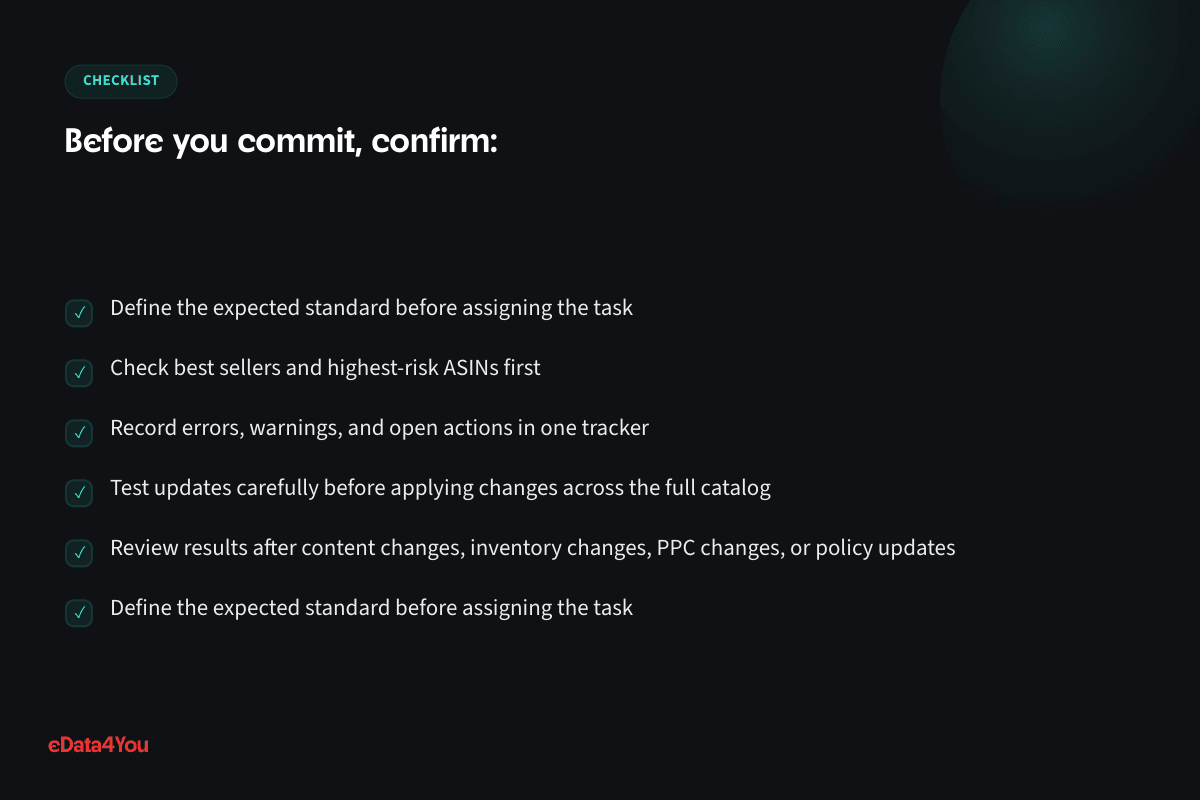
Define the expected standard before assigning the task
Check best sellers and highest-risk ASINs first
Record errors, warnings, and open actions in one tracker
Test updates carefully before applying changes across the full catalog
More resources
Understand the terms.
Follow the changes.
Clear definitions and marketplace updates, with context you can use in your next decision.
Review results after content changes, inventory changes, PPC changes, or policy updates
04Traffic sources, Store insights, and attribution
For Amazon seller teams, this area should connect with reporting. A task is only useful if it improves visibility, conversion, stock availability, customer trust, seller metrics, or profitability.
For Amazon Storefront management, review traffic sources, store insights, and attribution with both marketplace performance and customer experience in mind. Amazon rewards sellers that provide complete information, competitive offers, reliable fulfillment, strong reviews, and fast issue resolution.
Document the current baseline before making changes. Record the listings affected, current metrics, open warnings, inventory status, PPC impact, support issues, and next owner. This makes future troubleshooting easier.
Define the expected standard before assigning the task
Check best sellers and highest-risk ASINs first
Record errors, warnings, and open actions in one tracker
Test updates carefully before applying changes across the full catalog
Review results after content changes, inventory changes, PPC changes, or policy updates

05Seasonal updates and conversion improvements
The purpose is not to create more manual work. The purpose is to prevent avoidable issues and make Amazon growth easier to delegate, review, and scale.
For Amazon Storefront management, review seasonal updates and conversion improvements with both marketplace performance and customer experience in mind. Amazon rewards sellers that provide complete information, competitive offers, reliable fulfillment, strong reviews, and fast issue resolution.
Document the current baseline before making changes. Record the listings affected, current metrics, open warnings, inventory status, PPC impact, support issues, and next owner. This makes future troubleshooting easier.
Define the expected standard before assigning the task
Check best sellers and highest-risk ASINs first
Record errors, warnings, and open actions in one tracker
Test updates carefully before applying changes across the full catalog
Review results after content changes, inventory changes, PPC changes, or policy updates
Amazon Store Management Checklist
Use this checklist before scaling an Amazon account, launching new products, increasing PPC spend, or assigning work to an internal or outsourced team.
Explore related concepts
Related term
ASIN
Definition of ASIN
Amazon Standard Identification Number - the unique code Amazon assigns to every product listing on its catalog.
Example in practice
A seller launching a private-label phone case gets one ASIN when the listing goes live; every size or color variation gets its own child ASIN under the same parent.
Area What to Check
Listings Titles, bullets, descriptions, images, A+ Content, backend terms, attributes, variations, and indexing
Inventory FBA stock, FBM stock, replenishment, stranded inventory, restock alerts, excess stock, and stockout risk
Pricing Buy Box position, fees, shipping, storage cost, PPC cost, competitor prices, coupons, and margin

PPC Campaign structure, search terms, bids, budgets, ACOS, TACOS, ROAS, and retail readiness
Orders Fulfillment speed, tracking, cancellations, late shipment risk, refunds, returns, and order defects
Customer Service Buyer messages, reviews, feedback, complaints, templates, and escalation rules
Account Health Policy warnings, performance notifications, IP claims, restricted products, and appeal readiness
Reporting Weekly sales, conversion, sessions, margin, inventory movement, ads, and support issues
Every checklist item should have an owner. If nobody owns messages, listings, PPC, inventory, and account health, the seller account becomes vulnerable.
Daily, Weekly, and Monthly Amazon Tasks
Daily tasks should protect selling ability. Review new orders, buyer messages, account health alerts, suppressed listings, stock warnings, stranded inventory, pricing problems, and urgent customer service issues.
Weekly tasks should improve performance. Review best sellers, low conversion ASINs, search term reports, PPC spend, inventory velocity, review patterns, returns, and listing quality.
Monthly tasks should strengthen the system. Audit catalog quality, refresh old listings, review product profitability, clean inactive products, update SOPs, check policy changes, and identify growth opportunities.
This rhythm makes Amazon management easier to delegate because repeated tasks become documented workflows.
Ecommerce and AI Considerations
Amazon teams increasingly use AI for listing drafts, keyword clustering, review analysis, customer service templates, ad insights, product data cleanup, and reporting summaries. AI can save time, but it needs accurate source data and human review.
If product details are inconsistent, claims are risky, images do not match the product, or policy-sensitive content is not reviewed, AI can create compliance problems. Use AI to speed up research and drafting, but keep human review for claims, safety information, pricing, policy issues, and customer-facing responses.
For ecommerce teams, Amazon management should also connect with inventory planning, marketplace feeds, Shopify or website data, product content, customer support, and profitability reporting. Amazon should not operate in isolation from the rest of the business.

Business Analyzer
Know your numbers before you scale.
Understand margin, ad return and storefront performance using your own business inputs. Explore what the report checks.
Report outline
ProfitabilityWhere does your revenue go?
- Fees and marginWhere each dollar of revenue goes, and what's left.
- Marketplace fee comparisonWhat your revenue would cost in selling fees on each platform.
- Profit leaksCosts running above healthy levels at the numbers you entered.
Have this ready
Start with your selling channels, monthly revenue, return rate and goal. Add product cost and monthly team cost for a fuller margin picture.
Report outline
AdvertisingWhat does your ad return need to cover?
- Break-even ad returnThe ad return you need just to break even, against what you're getting.
- Ad spend in your cost mixSee how monthly ad spend affects the margin left after your entered costs.
- Revenue relative to ad spendCompare monthly revenue with monthly ad spend alongside the break-even threshold.
Have this ready
Bring your business figures and monthly ad spend. Add product cost as a percentage of price to calculate break-even ad return.
Report outline
Store performanceHow does your storefront perform?
- Mobile speedA live scan checks how your store performs on mobile.
- Google SEO checksSee the SEO checks included in your store scan.
- Product markupCheck for structured product data on your store or product page.
Have this ready
Add a store or product page URL alongside your business figures. The store scan runs after you unlock the full report.
Common Amazon Store Management Mistakes
Launching PPC before listings are retail-ready
Letting best-selling ASINs run out of stock
Ignoring suppressed listings or indexing problems
Managing ACOS without checking margin and TACOS
Missing buyer messages, reviews, or feedback patterns
Updating titles and bullets without tracking ranking impact
Treating FBA and FBM inventory as separate from seller metrics
Waiting too long to respond to account health warnings
Outsourcing Amazon tasks without SOPs, QA, and escalation rules
Most of these mistakes are preventable. Amazon growth becomes much more stable when operations, content, ads, and account health are managed together.
Budget, Timeline, and Ownership
Amazon management cost depends on catalog size, order volume, PPC activity, FBA complexity, FBM workload, support volume, and account health risk. A small seller may need part-time management, while a larger brand may need separate owners for listings, PPC, inventory, reporting, and customer service.
Timeline depends on account condition. A clean account can be improved quickly. An account with suppressed listings, messy variations, weak content, stock issues, poor PPC structure, and account health warnings may need a phased cleanup plan.
Ownership should be clear before work begins. Decide who manages listing updates, PPC, inventory checks, customer messages, returns, account health, reporting, and escalation.

30-60-90 Day Amazon Roadmap
Timeline Focus Outcome
First 30
Days
Audit listings, account health, inventory, PPC, pricing, orders, and reports Clear baseline and prioritized issue list
Days 31-60 Fix high-impact listings, stabilize inventory, clean PPC, improve support process, and review metrics
Your growth partner
Great work starts with a clear plan.
End-to-end operation of your marketplace storefronts - listings, ads, fulfillment and compliance.
One accountable team, from scope to reporting.

Support for this article
Marketplace Management
- AmazonEnd-to-end management of your Amazon Seller Central or Vendor Central account, from listings to advertising to account health.
- Amazon A+ Content & Storefront DesignAmazon A+ Content and enhanced brand content design, keeping every ASIN's premium modules on-brand and conversion-ready.
- Amazon PPC & Marketplace AdvertisingSupport for Amazon Ads, Walmart Connect, campaign data checks, listing readiness and reporting.
From first conversation to delivery
Start with the real bottleneck.
We review your listings, storefront, campaigns or workflows to identify what needs attention. Bring examples of the work you want to improve.
Know the scope before work starts.
We agree priorities, scope and timelines before execution. You know what the team will handle and how the work will be organised.
Keep one team accountable.
The team that scoped the work handles delivery. Responsibility stays clear as tasks move from planning into execution.
See what changed and what comes next.
Regular reporting connects the work to progress and results. Review what has been done and decide what should happen next.
To get started, share your platform, current workload and target timeline.
Fewer errors and stronger account control
Days 61-90 Scale winning ASINs, improve reporting, refresh content, document SOPs, and plan growth campaigns
Repeatable Amazon management system
The details change by seller account, but the sequence should stay the same: audit first, stabilize second, scale third.
How eData4You Can Help
eData4You helps ecommerce businesses manage Amazon seller operations across product listing services, catalog cleanup, Amazon SEO, A+ Content coordination, product data entry, image coordination, inventory support, order processing, customer service support, PPC assistance, account health monitoring, and reporting workflows.
Our team can support Amazon store management, Amazon product uploads, listing optimization, marketplace data cleanup, customer support, order checks, inventory reporting, and dedicated virtual assistant workflows for seller teams.
If your Amazon account needs listing cleanup, product data work, customer service support, order management, PPC coordination, account health monitoring, or a dedicated Amazon operations team, contact eData4You to discuss the project.
Frequently Asked Questions
What is Amazon store management?
Amazon store management is the ongoing process of managing listings, inventory, pricing, orders, customer service, advertising, account health, and reporting for an Amazon seller account.
Why do Amazon sellers need management support?
Sellers need support because Amazon operations involve repeated tasks, strict rules, and performance metrics. Missed issues can reduce visibility, damage account health, or create customer service problems.
Can Amazon store management be outsourced?
Yes. Many sellers outsource listing updates, product uploads, customer service, order checks, inventory reporting, PPC support, and account monitoring while keeping strategic decisions internal.
What should be checked every week?
Weekly checks should include listing errors, inventory status, PPC performance, account health, customer messages, returns, reviews, pricing, Buy Box changes, and sales trends.
What is the biggest Amazon management mistake?
The biggest mistake is treating Amazon as a set-and-forget sales channel. Successful sellers manage listings, inventory, PPC, customer service, and account health continuously.
Final Thoughts
Amazon store management is not only admin work. It protects visibility, customer trust, seller metrics, and profitability. A well- managed account is easier to scale because the team knows what to check, what to fix, and what to improve next.
Start with a baseline, fix the highest-risk issues, document repeatable workflows, and review results every week. That is how Amazon management becomes a growth system instead of daily firefighting.

Reviewed by Amit Sharma, Founder & IT Head· Content reviewed Sep 2026
Explore eData4You
Find the right next step.
Check your fit, explore blog topics or find the service that supports your work.
Start with your industry, then check the platforms and technology that support your workload.
Blog topics
Choose a topic to explore recent guides on the work behind ecommerce.
Recent guides
Marketplace Management
Marketplace Management: 3 guides to explore.
Services
Start with services relevant to this guide, or explore the rest of our services.




Comments
Leave a comment