On this page15 sectionsShowHide
- Access and Permissions: Shopify Has a Structural Advantage
- Bulk Operations: Matrixify vs WP All Import
- API Reliability for Programmatic Operations
- Inventory Management Without Plugins
- Plugin Ecosystem and Operational Risk
- Theme and Storefront Access
- When WooCommerce Is the Right Call
- What to Tell Your Outsourcing Partner on Either Platform
- Frequently Asked Questions
- Is Shopify always the better choice for outsourced operations?
- Can an outsourced team break my WooCommerce site by accident?
- Do I need to give an agency my Shopify login to outsource operations?
- How long does it take to onboard an outsourced team on each platform?
- What's the single biggest risk of outsourcing WooCommerce operations?
- The Outsourcing Verdict
Key takeaways
- The first thing an outsourced team needs is access.
- Shopify’s native multi-location inventory is available out of the box from the Basic plan upward.
- WooCommerce wins in specific outsourcing scenarios.
- Shopify's Collaborator Accounts, requested through the Partner Dashboard, let an agency request a specific permission scope without you ever sharing your login…
- For day-to-day operations - product uploads, catalog management, order processing, inventory updates, and content publishing - Shopify is the platform that creates less…
Most WooCommerce vs Shopify comparisons cover cost, scalability, and SEO flexibility. This one does not. This post is specifically about what happens when you hand daily store operations to an external team - product uploads, catalog management, inventory updates, order processing - and which platform creates less friction for both sides. The answer depends on what kind of outsourcing you need, and the difference matters more than most brand owners realise.
Access and Permissions: Shopify Has a Structural Advantage
The first thing an outsourced team needs is access. How that access is granted tells you a lot about how safe and manageable the arrangement will be.
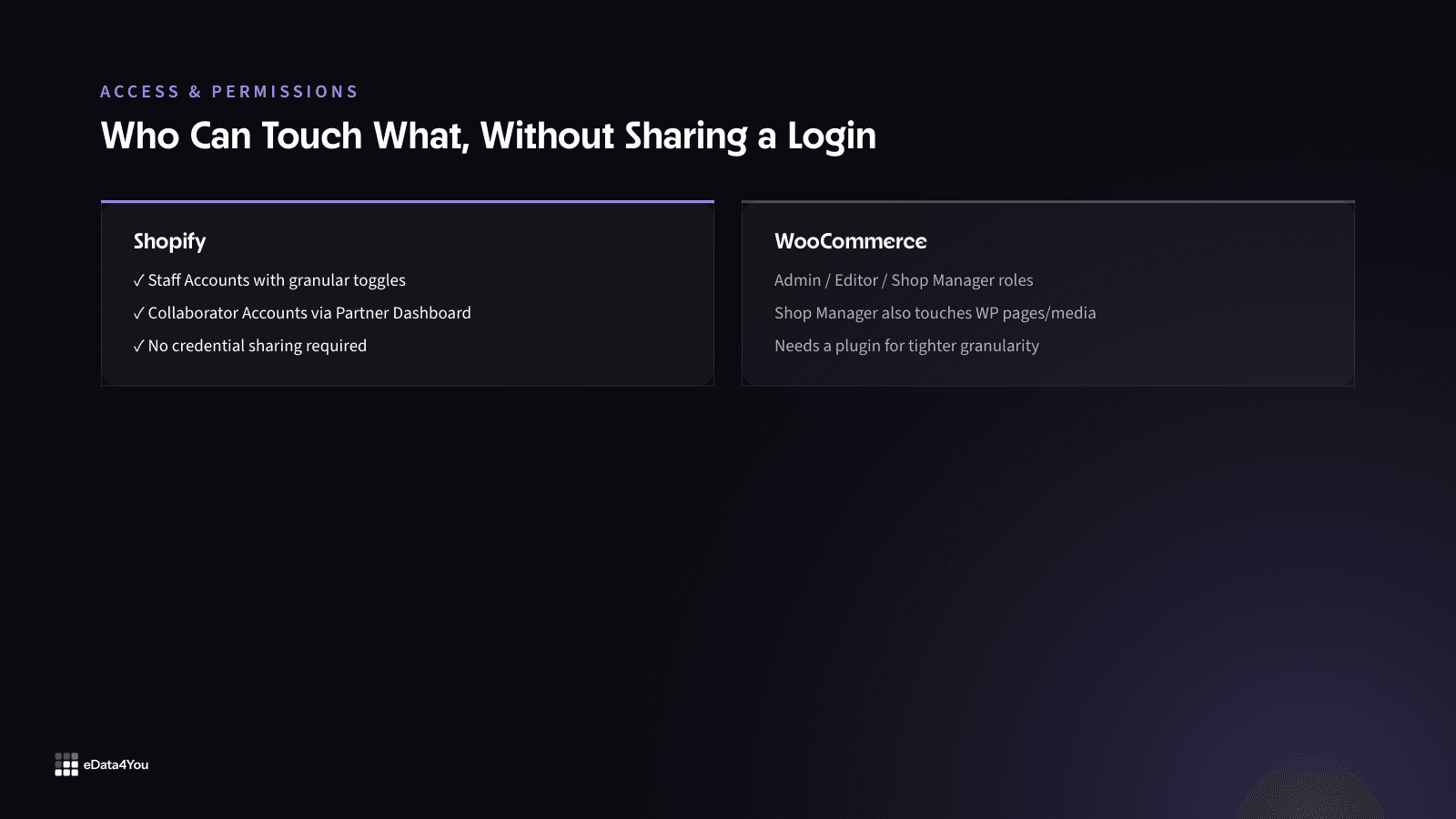
Shopify gives you two clean mechanisms. Staff Accounts are created directly inside the Shopify admin, with granular permission toggles - you can give a catalog team product access without touching orders, or give a customer service rep order visibility without exposing financials or store settings. Collaborator Accounts go through the Shopify Partner Dashboard, so an agency like ours can request access with a specific permission scope, and the merchant approves it without sharing login credentials at all.
WooCommerce on WordPress uses WordPress’s native role system: Administrator, Editor, Shop Manager, and custom roles if you install a plugin like User Role Editor. The problem is granularity. The Shop Manager role gives broad WooCommerce access, but it sits on top of WordPress - and that brings in access to pages, posts, media, and sometimes plugin settings that an outsourced operations team has no business touching. If you want tighter control, you need a third-party plugin, and you’re now managing plugin permissions on top of store permissions. Shopify wins this comparison cleanly.
Bulk Operations: Matrixify vs WP All Import
Catalog management at scale means bulk operations. How reliable those operations are determines how much QA work your outsourced team has to do after every import.
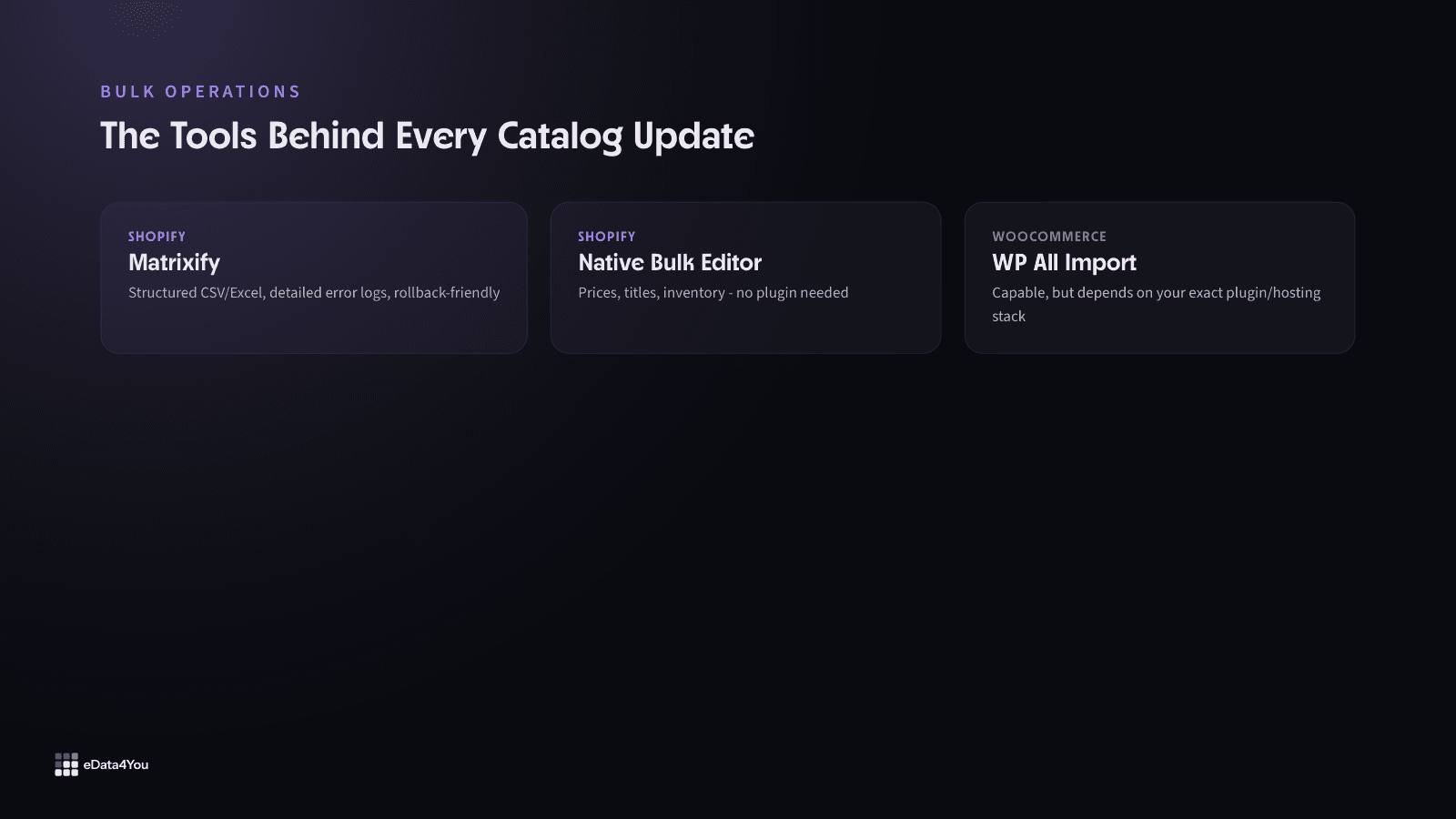
Shopify’s native bulk editor handles straightforward updates - prices, titles, inventory - directly in the admin without a plugin. For anything more complex, Matrixify (formerly Excelify) is the industry standard. It supports products, metafields, collections, customers, and orders in a structured Excel or CSV format, with detailed error logs and a rollback-friendly workflow. The import/export format is consistent across Shopify versions because Shopify controls the platform.
For your next planning session
Good guidance is worth keeping.
Save this guide and return when you’re ready to put it into practice.
WooCommerce has WooCommerce’s built-in CSV importer, WP All Import, and several alternatives. The issue is not that these tools are bad - WP All Import in particular is capable - it’s that they depend on your WordPress version, your active plugins, and your hosting environment. An outsourced team that hasn’t worked with your exact stack will spend time debugging conflicts that wouldn’t exist on Shopify. Plugin version mismatches between WooCommerce and an importer plugin have broken imports for brands without any obvious error message. That diagnostic time adds cost to every catalog update cycle.
API Reliability for Programmatic Operations
If your outsourced team pushes data via API - which is common for large catalog management, marketplace sync, or ERP integration - the underlying API quality matters enormously.
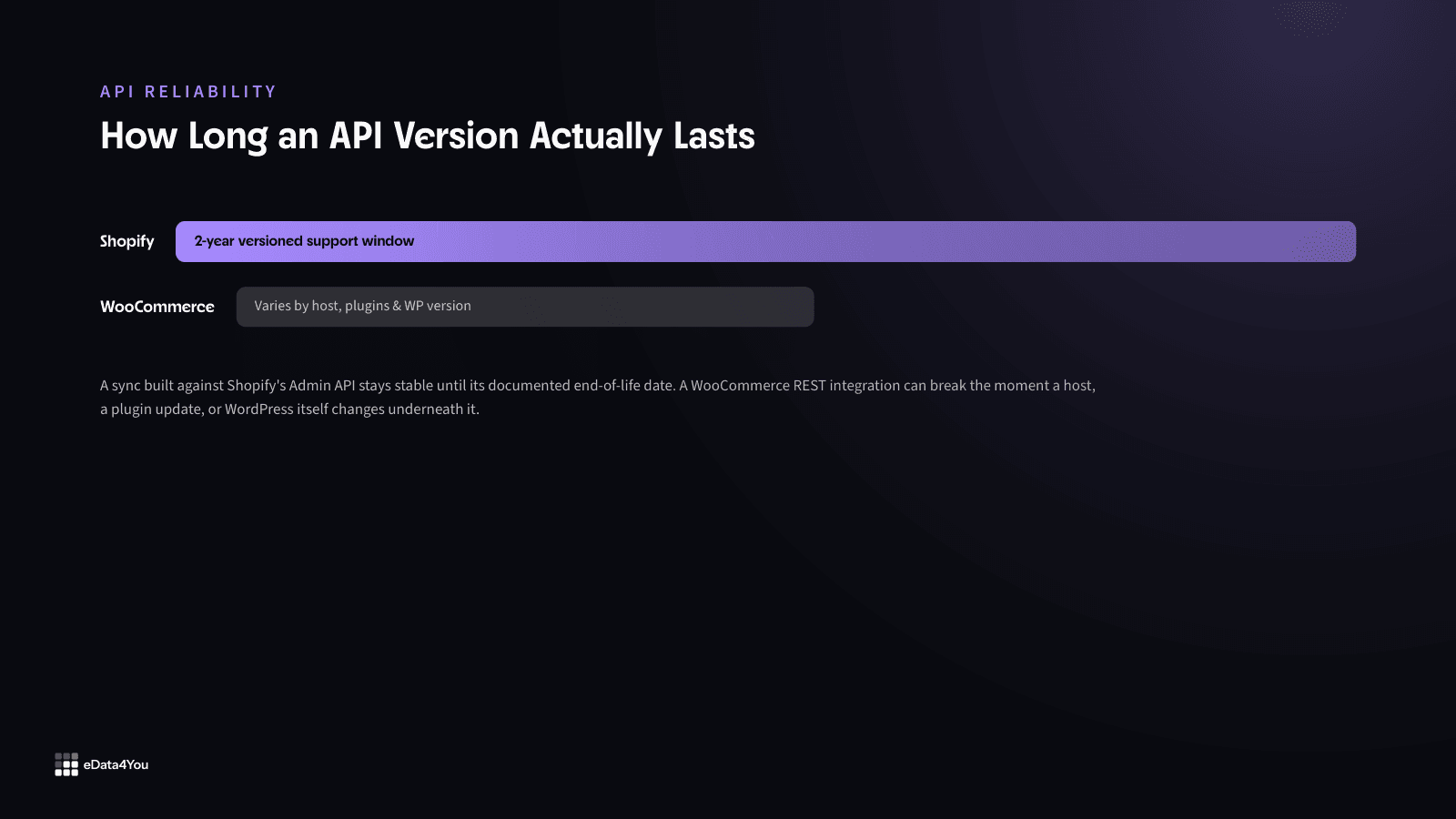
Shopify’s REST Admin API and GraphQL Admin API are versioned, with a clearly documented deprecation schedule (currently a two-year version support window). The authentication flow via OAuth or Admin API access tokens is standardised. When the platform updates, API versions remain stable until their end-of-life date. An outsourced team building a sync between your Shopify store and a supplier feed or a PIM can rely on the API behaving consistently.
WooCommerce’s REST API is functional and reasonably well-documented, but it runs on WordPress, which means its behavior is affected by your hosting configuration (some shared hosts block REST API endpoints by default), your installed plugins (WooCommerce Subscriptions, WPML, and others modify API responses), and your WordPress version. An external developer who has not audited your specific environment will hit unexpected 401 errors, missing endpoints, or altered response structures. None of these are insurmountable, but they add onboarding overhead every time.
Compare, then choose
Shopify vs WooCommerce
A hosted platform vs a self-hosted WordPress plugin - the real tradeoff is control vs convenience.
The practical tradeoffs
Shopify
- Hosting, security and uptime are Shopify's problem, not yours
- A large, vetted app ecosystem covers most needs without custom code
2 more tradeoffs
- Monthly platform fees plus transaction fees on non-Shopify payment gateways
- Less flexibility for deep custom logic without Shopify Plus or a headless build
Switch platforms to review both sides.
- Your team
- Your catalog
- Your operations
Question 1 of 3
Inventory Management Without Plugins
Shopify’s native multi-location inventory is available out of the box from the Basic plan upward. An outsourced team can see and update stock levels across locations, transfer stock between locations, and set location-specific fulfillment priorities - all inside the Shopify admin without touching a plugin.
WooCommerce requires ATUM Inventory Management or the WooCommerce Multi-Location Inventory extension (the latter is a paid extension from WooCommerce.com) to get equivalent functionality. Both are solid tools, but they add another layer of plugin dependency. For an outsourced team managing stock for a brand with warehouse, retail, and 3PL locations, Shopify’s native tooling eliminates an entire category of setup work.
Plugin Ecosystem and Operational Risk
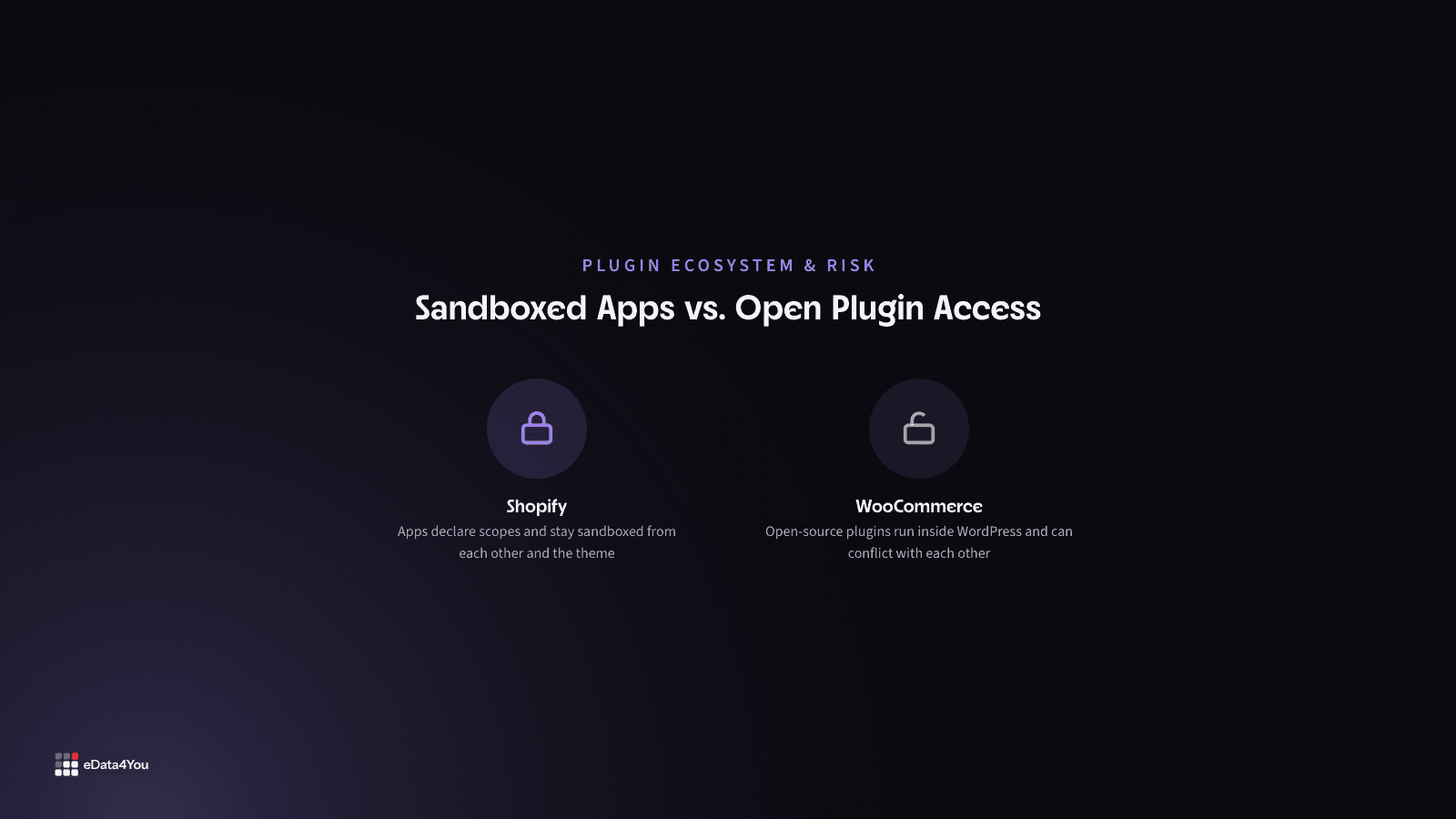
Shopify’s app ecosystem is reviewed and sandboxed. Apps access the store through the Shopify API with declared scopes - they cannot directly touch each other’s data or the theme file system without explicit hooks. That means an outsourced team adding a review app or a shipping rate calculator is unlikely to break your product display or checkout flow.
WooCommerce plugins are open-source and run inside WordPress, which means a poorly coded plugin can conflict with another plugin, override a WooCommerce function, or slow down the entire admin. An external team unfamiliar with your stack can install something that creates a conflict that only surfaces at checkout - and diagnosing it requires WordPress-level debugging skills, beyond ecommerce operations knowledge alone. The risk is manageable with a proper staging environment, but it requires more operational discipline than Shopify.
Theme and Storefront Access
One underappreciated outsourcing risk with WooCommerce: WordPress file system access is coupled with theme access. A Shop Manager can edit pages and media, but if you’re giving someone Admin access to do product imports, they also have access to the theme editor, functions.php, and plugin files. On Shopify, the Online Store editor separates content from code more cleanly - a product or content operator doesn’t need code access to do their job, and the Shopify admin makes that separation structural rather than relying on self-discipline.
More resources
Understand the terms.
Follow the changes.
Clear definitions and marketplace updates, with context you can use in your next decision.
When WooCommerce Is the Right Call
WooCommerce wins in specific outsourcing scenarios. If your requirements include custom B2B pricing tiers, complex attribute sets for highly configurable products, or a portal that would require Shopify Plus and significant custom app development, WooCommerce’s open architecture gives an outsourced development team more room to work at lower platform cost. Brands with in-house WordPress developers who already know the stack are also in a different position - the external team’s learning curve is shorter when internal knowledge can fill in the gaps.
Large catalogs where WooCommerce’s absence of per-transaction fees and lower monthly cost matters to unit economics also shift the calculation. The friction of outsourcing operations on WooCommerce is real but not prohibitive - it just requires more structured onboarding and documentation from the brand side.

What to Tell Your Outsourcing Partner on Either Platform
Regardless of platform, three things make outsourced operations work:
Document the full plugin or app stack before handoff, including version numbers and any known conflicts - work that's easiest to keep clean when a data management team owns the catalog itself
Grant Collaborator access (Shopify) or Shop Manager access (WooCommerce) - not Admin - and confirm the scope covers what the team actually needs
Establish a staging environment and make it a hard rule that bulk changes get tested there before going live
On Shopify, Shopify’s own dev store or a cloned store handles staging. On WooCommerce, WP Staging or a subdomain install works - but it requires your hosting environment to support it, which is another variable to verify upfront.
Your growth partner
Great work starts with a clear plan.
Websites, storefronts, mobile apps and custom internal software - designed, built and maintained by one accountable team, whatever platform the work runs on.
One accountable team, from scope to reporting.
Support for this article
Software & Product Development
- WooCommerceCatalog, order and plugin management for WooCommerce stores, kept in sync with your marketplace channels.
- WooCommerce DevelopmentWooCommerce stores built around how the catalog and checkout actually need to work, rather than simply how the plugin defaults handle it.
- Custom Software for Small BusinessCustom software sized for small businesses - replacing spreadsheets and piles of subscriptions with one tool built around how you actually work.
From first conversation to delivery
Start with the real bottleneck.
We review your listings, storefront, campaigns or workflows to identify what needs attention. Bring examples of the work you want to improve.
Know the scope before work starts.
We agree priorities, scope and timelines before execution. You know what the team will handle and how the work will be organised.
Keep one team accountable.
The team that scoped the work handles delivery. Responsibility stays clear as tasks move from planning into execution.
See what changed and what comes next.
Regular reporting connects the work to progress and results. Review what has been done and decide what should happen next.
To get started, share your platform, current workload and target timeline.
Frequently Asked Questions
Is Shopify always the better choice for outsourced operations?
Not always - for day-to-day operations like catalog updates, order processing, and inventory management, yes. But if your business depends on custom B2B pricing, unconventional product configurations, or deep in-house WordPress expertise, WooCommerce's open architecture can outweigh Shopify's access-control advantage.
Can an outsourced team break my WooCommerce site by accident?
It's more likely than on Shopify, specifically because Shop Manager access is coupled to broader WordPress access. A plugin conflict introduced by an unfamiliar team can surface at checkout without warning. A staging environment and a documented plugin stack reduce this risk substantially.
Do I need to give an agency my Shopify login to outsource operations?
No. Shopify's Collaborator Accounts, requested through the Partner Dashboard, let an agency request a specific permission scope without you ever sharing your login credentials.
How long does it take to onboard an outsourced team on each platform?
Shopify onboarding is typically faster because access, bulk tools, and the API behave the same way regardless of your specific setup. WooCommerce onboarding takes longer since the team has to learn your exact plugin stack, hosting environment, and WordPress version first.
Operations capacity
What could you hand off?
Adjust your workload and catalog size to explore a planning estimate of the time you could recover.
Time spent on your recurring operations tasks.
Number of products or variants in your catalog.
Estimated recoverable capacity
Per week
Per month
Monthly headline figures are rounded. This values time, rather than predicting a cash saving.
The assumptions behind the estimate
- Base recovery
- 60%of weekly operations time
- Catalog factor
- 1.00–1.40×1 + SKUs ÷ 2,000, capped at 1.40×
- Monthly conversion
- 4.33 weekstime valued at $35 per hour
Weekly hours × 60% × catalog factor × 4.33 = monthly capacity. Actual capacity depends on the work you can delegate.
What's the single biggest risk of outsourcing WooCommerce operations?
Undocumented plugin dependencies. When nobody can say why a given plugin was installed or what it touches, an outsourced team's changes can trigger conflicts that are hard to diagnose without WordPress-level debugging skills.
The Outsourcing Verdict
For day-to-day operations - product uploads, catalog management, order processing, inventory updates, and content publishing - Shopify is the platform that creates less friction when handed to an external team. The access controls are cleaner, the bulk tools are more predictable, the API is more stable, and the separation between operational access and technical access is built into the platform architecture.
For development-heavy customization - complex business logic, unconventional catalog structures, deep third-party integrations - WooCommerce gives an outsourced development team more flexibility, and the lower platform cost can matter at scale.
Most brands outsourcing daily store operations to an agency are in the first category. For those brands, Shopify’s structure reduces onboarding time, reduces operational risk, and makes it easier to audit what the external team is doing and what they have access to.
If you’re running a Shopify store and want a team that can take daily operations off your plate - catalog updates, inventory management, order workflow, and app management - eData4You’s Shopify store management services are built for exactly that handoff. And if the work is less about daily operations and more about the store itself - a rebuild, a custom app, or a migration between platforms - that's handled by our software and product development team.

Reviewed by Amit Sharma, Founder & IT Head· Content reviewed Sep 2026
Explore eData4You
Find the right next step.
Check your fit, explore blog topics or find the service that supports your work.
Start with your industry, then check the platforms and technology that support your workload.
Blog topics
Choose a topic to explore recent guides on the work behind ecommerce.
Recent guides
Software & Product Development
Software & Product Development: 3 guides to explore.
Services
Start with services relevant to this guide, or explore the rest of our services.




Comments
Leave a comment